Running a Real Go Service on a Phone
Part 2 of 2: OOM-killed builds, tmux as an init system, and putting a rooted Galaxy M30s on the public internet.
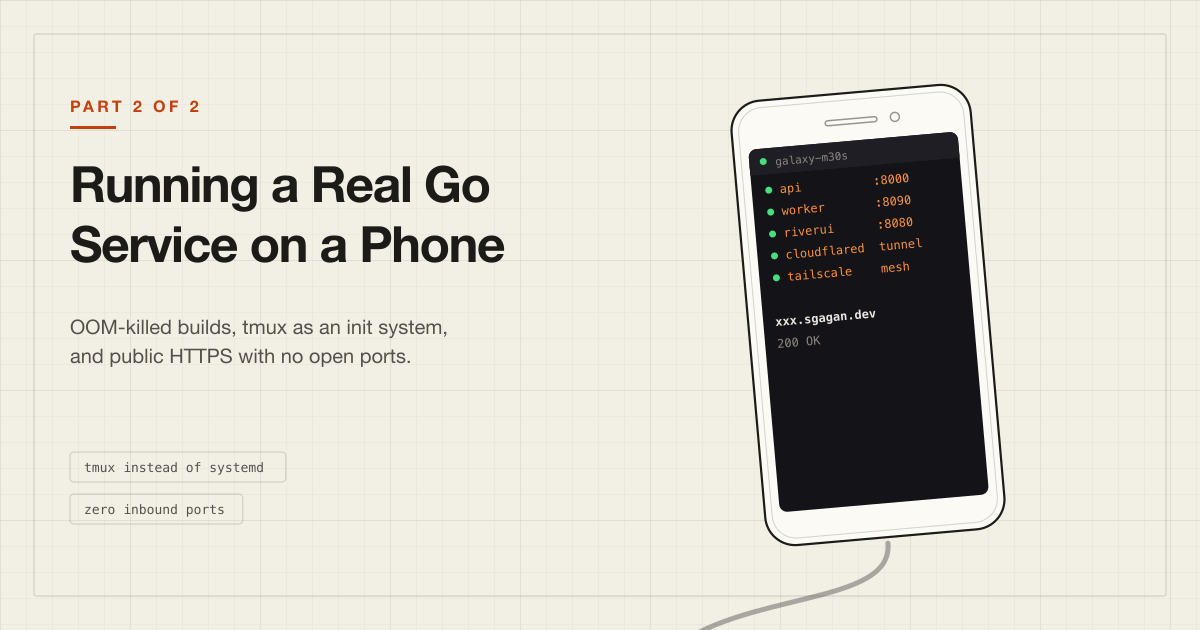
In Part 1, I unlocked and rooted a Galaxy M30s that had been in a drawer for two years, discovered its kernel was missing five features Docker fundamentally requires, and settled for a Debian userspace running under PRoot inside Termux. It had 13 GB of swap and an SSH server on port 8022.
What it didn't have was anything to run.
This part is about getting a real application onto it. Not a hello-world - an actual Go API with a background job queue, reachable over HTTPS from anywhere, that stays up when I close my laptop.
Almost none of it worked the first time.
The application#
I won't go into what the service actually does - it isn't the interesting part. What matters is its shape, which is the shape a lot of Go backends have:
- an API process serving HTTP
- a worker process running River, a Postgres-backed job queue for Go
- River UI, the web dashboard for inspecting queues and retrying jobs
- PostgreSQL
- a handful of binary dependencies the application shells out to for media handling -
ffprobefor pulling duration and metadata out of uploads,pdftoppmfor rendering PDF previews
Go 1.26.6. Normally deployed with docker compose up. Which, per Part 1, was not going to happen.
So the first decision was what to do about the database.
Not running Postgres on the phone#
I'd originally planned to install Postgres in the Debian environment. I got as far as apt install postgresql before backing out and removing it.
Two reasons.
Memory. Postgres on a 4 GB phone, competing with a Go compiler, is asking a lot. The 13 GB of swap from Part 1 doesn't rescue that either - swap buys a compiler the room to finish a job and then get out of the way, but a database that ends up swapped out is simply a slow database, and every query goes on paying for it. Physical RAM was still 3.5 GiB and was never going to be anything else.
Supervision. Not that Postgres needs systemd - it doesn't, pg_ctl starts a server perfectly well - but with nothing supervising it, I'd own the lifecycle myself: starting it by hand after every reboot, noticing when Android's low-memory killer had taken it, starting it again, and being the only thing between an interrupted write and a corrupt data directory on a device that can lose power whenever Android decides. For a compiler that trade is fine - Part 1's swapfile is exactly that kind of bet. For the thing holding the data, it isn't.
I moved the database to Neon - hosted Postgres with a usable free tier. The phone became a pure application server:
        Internet
           |
    +------v------+        +-------------+
    |  M30s       |------->|  Neon       |
    |  API        |        |  Postgres   |
    |  Worker     |        |             |
    |  River UI   |        +-------------+
    +-------------+
One trap worth documenting. Neon gives you two connection strings: a direct one and a pooled one, the pooled one being -pooler in the hostname. The pooled endpoint is PgBouncer in transaction mode, and PgBouncer in transaction mode breaks prepared statements. With golang-migrate running the migrations, you get:
pq: unnamed prepared statement does not exist
intermittently, under load, in a way that looks like an application bug rather than a connection-string choice. I knew this one going in - which is the only reason it cost minutes here instead of an afternoon. Use the direct connection string.
The Go toolchain#
Debian trixie packages Go 1.24.4. The project needs 1.26.6. Not close enough.
Remove the packaged version and install the official ARM64 tarball:
apt remove -y 'golang*' && apt autoremove -y

cd /tmp
curl -LO https://go.dev/dl/go1.26.6.linux-arm64.tar.gz
rm -rf /usr/local/go
tar -C /usr/local -xzf go1.26.6.linux-arm64.tar.gz
PATH needs setting in two places, because PRoot's login shells don't reliably source what you'd expect:
echo 'export PATH=/usr/local/go/bin:$HOME/go/bin:$PATH' > /etc/profile.d/go.sh
echo 'export PATH=/usr/local/go/bin:$HOME/go/bin:$PATH' >> /home/astraxx/.bashrc
astraxx@localhost:~$ go version
go version go1.26.6 linux/arm64
A full ARM64 Go toolchain, on a phone, from a drawer. That felt like a milestone.
For cloning I set up an SSH deploy key rather than fighting HTTPS credential prompts on a device with no browser I wanted to log into:
ssh-keygen -t ed25519 -C "m30s"
cat ~/.ssh/id_ed25519.pub    # -> GitHub -> Settings -> SSH keys
git clone [email protected]:you/repo.git
Then go mod download. Then the build.
The dependencies that weren't in go.mod#
Here's the one I nearly missed.
go.mod describes the Go dependency graph, and that's all it describes. My application also shells out to two binaries at runtime: ffprobe, to read duration and codec metadata off uploaded media, and pdftoppm, to render the first page of a PDF as a preview image.
Neither of those appears anywhere in the Go module graph. They appeared in the Dockerfile:
FROM golang:1.26-alpine
RUN apk add --no-cache git ffmpeg curl poppler-utils
One line, easy to skim past, and the reason the application had never once failed to find ffprobe during development. The image always had it.
Take Docker away and that line has to go somewhere. In my case, into a Debian shell by hand:
apt update
apt install -y git curl ffmpeg poppler-utils
git             -> git
curl            -> curl
ffmpeg          -> ffprobe
poppler-utils   -> pdftoppm
Verify before you build anything, because the failure mode is nasty - the application starts fine, serves fine, and then silently degrades the first time someone uploads a video:
ffprobe -version
pdftoppm -v
Both had ARM64 packages in trixie, so this was painless. It wouldn't have been if either had needed compiling - ffmpeg from source on this phone would have made the Go build look brisk.
The general point: a container image is a dependency manifest that most of us never read as one. go.mod, package.json, requirements.txt - we treat those as the list of what a service needs. But every apt install and apk add in your Dockerfile is a dependency too, and it's the one you find out about by accident. Reading my own Dockerfile as a checklist rather than as build config was a useful shift.
The build that kept killing my SSH session#
go build ./cmd/api
The SSH connection died. Not an error - the connection itself dropped.
Reconnected, tried again, dropped again. Same point each time.
This is Android's low-memory killer doing exactly its job. Go builds packages in parallel, one compiler process per available core, and the M30s has eight cores. Eight concurrent compile processes on a device with ~3.5 GB of RAM, of which Android already owns a large slice, and something has to go. From Android's perspective, the biggest, greediest, least-important process on the device was Termux - which was hosting my PRoot, my Debian, my build and my SSH session. Kill Termux and all of it goes at once.
The fix is telling Go to be less ambitious:
GOMAXPROCS=2 go build -p 2 ./cmd/api
-p 2 caps concurrently-compiled packages. GOMAXPROCS=2 caps the compiler's own runtime parallelism. Together they turn eight hungry processes into two.
It took several minutes. It did not die. ls -lh api showed a binary.
The 10 GB swapfile from Part 1 earned its keep here - capping parallelism keeps the peak lower, and swap catches what's left of it. Swapping to UFS flash is slow, but "slow" beats "killed".
Same again for the worker:
GOMAXPROCS=2 go build -p 2 ./cmd/worker
The lesson I'd generalise: on a constrained machine, the default parallelism of your build tool is a bet that you have as much memory per core as a normal server does. You don't. -p and GOMAXPROCS cost you wall-clock time and buy you a build that finishes.
River UI needed no compiling at all - it ships prebuilt ARM64 binaries, and I pinned the version the project's compose file already used rather than taking latest:
curl -L https://github.com/riverqueue/riverui/releases/download/v0.16.0/riverui_linux_arm64.gz \
  | gzip -d > riverui
chmod +x riverui
Which left three things to run, and one port each:
API        :8000
River UI   :8080
Worker     :8090   (health/metrics only)
tmux as an init system#
Three processes that need to run indefinitely, on a machine with no systemd, reached over an SSH connection that will not stay open forever.
Running ./api & and disconnecting doesn't work: the process is a child of your login shell, the shell dies with the connection, and everything goes with it. nohup gets you further but leaves you with no way to see the output afterwards.
The tool that fits is tmux. A tmux session is owned by the tmux server, not by your shell. Start processes inside it, detach, disconnect - they carry on. Reconnect later and attach to exactly the state you left.
For this setup tmux isn't a convenience for multiplexing panes. It is literally my process supervisor. It's what I have instead of systemd.
Which raised a design question I got wrong twice.
The nested tmux disaster#
My first attempt ran tmux inside Debian. It worked until I disconnected, at which point everything died anyway.
The reason: the tmux server was a process inside PRoot, PRoot was a process inside Termux, and the whole tree was still anchored to my SSH session. Detaching from the inner tmux doesn't help if the outer thing hosting it goes away.
My second attempt ran tmux in Termux and tmux in Debian, and I ended up with sessions inside sessions, Ctrl+B going to the wrong server, and no reliable idea of what was actually running. Untangling that was genuinely unpleasant over a phone terminal.
The correct shape: one tmux session, at the Termux level, outside PRoot. Each window enters Debian independently and runs one service.
Android
+-- Termux
    +-- tmux session "srv"          <- the supervisor
        +-- window 0: proot -> Debian -> ./api
        +-- window 1: proot -> Debian -> ./worker
        +-- window 2: proot -> Debian -> ./riverui
        +-- window 3: proot -> Debian -> cloudflared
That fourth window is cloudflared, which doesn't exist yet - it arrives later in this post, and the shape doesn't change when it does.
Four independent PRoot instances is not free. But each service is isolated - one crashing doesn't take the others with it - and the tmux server sits above the layer that dies when SSH drops.
Getting it on the internet#
Now the part I'd actually been curious about: could this phone serve public HTTPS traffic?
The obvious approach - port forwarding on the router - was unappealing. Residential CGNAT, no static IP, and it means opening ports on my home network to reach a phone. Hard no.
Cloudflare Tunnel solves this properly, and it's the piece of this whole project I'd recommend to anyone regardless of whether they own a rooted phone. The tunnel daemon makes an outbound connection to Cloudflare and holds it open. Traffic to your hostname arrives at Cloudflare's edge and comes back down that existing connection. No inbound ports. No port forwarding. No static IP. Nothing listening on your router.
Setup:
- Point the domain's nameservers at Cloudflare.
- Dashboard → Networking → Tunnels → Create Tunnel. Copy the token.
- Add published applications on that tunnel:
xxx.sgagan.dev  ->  http://localhost:8000
yyy.sgagan.dev  ->  http://localhost:8080
One tunnel, multiple hostname → service mappings. Cloudflare creates the DNS records for you.
- Install
cloudflaredfor ARM64 inside Debian and run it with the token.
The first time I hit https://xxx.sgagan.dev and got a JSON response from a Go process running on a phone on my desk, routed through Cloudflare's global network, with no ports open anywhere - that was the moment the whole thing felt worth it.
Error 1033#
Cloudflare's 1033 means "the tunnel isn't connected." Which is unhelpfully broad: it covers a dead cloudflared, a bad token, and a fine tunnel pointing at a service that isn't listening.
Mine was a token problem, and it was self-inflicted. The token lived in .env, and my launcher sourced .env in a way that didn't reach the cloudflared window. So cloudflared started with an empty token and failed with Invalid tunnel secret - a message I couldn't see, because it was scrolling past in a tmux window I wasn't attached to.
Debugging discipline that saved me here: always test the local service before blaming the tunnel.
curl -I http://localhost:8000      # is the service up?
curl -I https://xxx.sgagan.dev     # is the tunnel up?
If the first works and the second doesn't, it's the tunnel. If neither works, stop looking at Cloudflare.
Tailscale, and the PRoot lie coming due#
For administration I wanted to reach the phone by name from anywhere, without caring what IP my router had handed it that week.
Tailscale is the obvious choice. I installed it inside Debian, ran tailscale up, and got:
tun module not loaded nor found on disk
tstun.New("tailscale0") error: permission denied
Even though /dev/net/tun existed and was readable.
The logs also cheerfully reported:
Linux kernel version: 6.17.0-PRoot-Distro
Which, as noted in Part 1, is PRoot lying. There is no 6.17 kernel. There's a Samsung 4.14 kernel, and a ptrace-based syscall rewriter presenting a friendlier version number to software that would otherwise complain.
That lie is a red herring, though, and I spent a while chasing it. Nothing here was refusing me over a version number. The real problem is a layer below.
Tailscale needs to create and configure a network interface - a genuine kernel operation, gated on a privilege called CAP_NET_ADMIN. PRoot rewrites the paths inside a syscall. That's the whole of what it does. It cannot grant a capability the kernel won't give the calling process, and it cannot produce a working TUN device just because /dev/net/tun appears in the filesystem it's presenting. A real container gets CAP_NET_ADMIN handed to it by the kernel; PRoot has nothing to hand out.
Which is the thing Part 1 hinted at: PRoot can fake what a path says. It cannot fake what a device does.
The fix was to stop asking the wrong layer. The phone is rooted. Android can create a TUN interface. So I installed the Tailscale Android app, outside PRoot entirely:
                Tailscale mesh
   Mac ------------------------------ M30s (Android app)
                                        |
                                   Termux sshd :8022
                                        |
                                     PRoot Debian
                                        |
                                      astraxx
Tailscale handles the network layer at the Android level; everything above it just uses the network. Immediately:
$ tailscale ping 100.x.x.x
pong from galaxy-m30s (100.x.x.x) via 192.168.0.5:55727 in 255ms

$ ssh -p 8022 astraxx@galaxy-m30s
With MagicDNS, the phone is galaxy-m30s from any of my devices, on any network, forever.
The general principle, which cost me an evening: in a layered environment, do each job at the layer that actually has the privileges for it. Networking belongs to the kernel, so it belongs to Android. Userspace belongs to Debian.
The launcher#
Everything assembled into one Termux script, ~/bin/srv:
#!/data/data/com.termux/files/usr/bin/bash
set -e

SESSION="srv"
APP_DIR="/home/astraxx/app"

if tmux has-session -t "$SESSION" 2>/dev/null; then
    echo "Already running. Attach with: tmux attach -t $SESSION"
    exit 0
fi

echo "Starting..."

# API :8000
tmux new-session -d -s "$SESSION" -n api
tmux send-keys -t "$SESSION:api" \
    "proot-distro login debian -- bash -lc 'cd $APP_DIR && set -a && source .env && set +a && ./api'" C-m

# Worker :8090
tmux new-window -t "$SESSION" -n worker
tmux send-keys -t "$SESSION:worker" \
    "proot-distro login debian -- bash -lc 'cd $APP_DIR && set -a && source .env && set +a && ./worker'" C-m

# River UI :8080
tmux new-window -t "$SESSION" -n riverui
tmux send-keys -t "$SESSION:riverui" \
    "proot-distro login debian -- bash -lc 'cd $APP_DIR && set -a && source .env && set +a && ./riverui'" C-m

# Cloudflare Tunnel
tmux new-window -t "$SESSION" -n cloudflare
tmux send-keys -t "$SESSION:cloudflare" \
    "proot-distro login debian -- bash -lc 'cd $APP_DIR && set -a && source .env && set +a && cloudflared tunnel run --token \"\$CLOUDFLARE_TUNNEL_TOKEN\"'" C-m

echo "  API        :8000"
echo "  Worker     :8090"
echo "  River UI   :8080"
echo "  Attach:    tmux attach -t $SESSION"
The set -a && source .env && set +a pattern is the important detail. set -a marks every subsequently-assigned variable for export, so sourcing .env puts all of it in the environment rather than in local shell variables. Without it, cloudflared never sees its token - which is precisely the 1033 above.
Workflow is now:
ssh -p 8022 astraxx@galaxy-m30s
srv
# Ctrl+B D to detach
exit
Services keep running. tmux attach -t srv to check on them, Ctrl+B 0/1/2/3 to move between windows.
Two things Android will do to you#
Battery optimisation will kill Termux. Android has no concept of "this app is a server." As far as it's concerned Termux is a backgrounded app consuming resources, and it will be terminated eventually. You need:
termux-wake-lockto hold a partial wake lock- Termux explicitly excluded from battery optimisation in Android settings
- On Samsung specifically, Termux added to "Never sleeping apps" in Device Care - Samsung's power management is more aggressive than stock Android and ignores the standard exclusion in some cases
Nothing survives a reboot. No systemd means no enabled services. After a restart you re-swapon the swapfile as root and re-run srv. I've left it that way - it reboots rarely, and it's plugged in permanently.
The last bug#
Everything was in place. srv did nothing. No error, no services, no tmux session. Just an immediate return to the prompt.
$ bash -x ~/bin/srv
++ bash
That's the entire trace.
I had pasted the script into nano including the Markdown code fence. The first line of my executable shell script was:
```bash
Backticks are command substitution. The shell dutifully executed the command bash inside them, got a new shell, that shell read EOF from a non-terminal and exited, and the script had nothing left to do.
The fix:
sed -i '1{/^```bash$/d;}' ~/bin/srv
sed -i '/^```$/d' ~/bin/srv
Three days of bootloader unlocking, kernel config archaeology, OOM-killed builds and tunnel debugging, and the final boss was copy-paste.
Then:
======================================
        services started
======================================

  API:        :8000
  Worker:     :8090
  River UI:   :8080
  Cloudflare: phone-tunnel
The final architecture#
                 Internet
                    |
              Cloudflare edge
                    |  outbound tunnel only
                    v
        +-----------------------+
        |   Galaxy M30s         |
        |   Android 11, rooted  |
        |                       |
        |   Termux              |
        |   +-- tmux "srv"      |
        |       +-- API   :8000 |
        |       +-- Wrkr  :8090 |
        |       +-- River :8080 |
        |       +-- cloudflared |
        |            (each in   |
        |         PRoot Debian) |
        +-----------+-----------+
                    |
              Neon Postgres
Public:
xxx.sgagan.dev  -> API
yyy.sgagan.dev  -> River UI (basic auth)
Private, over Tailscale:
ssh -p 8022 astraxx@galaxy-m30s
Zero inbound ports on my router. Zero monthly cost beyond electricity and free tiers.
What I'd do differently#
Cross-compile. Building on the phone was a good exercise in constrained-machine debugging, and I don't regret doing it once. But GOOS=linux GOARCH=arm64 go build on a laptop takes seconds and scp moves the binary in seconds more. There's no reason to keep compiling on the target.
A proper supervisor. tmux works but it doesn't restart anything. If the API panics at 3am, it stays dead. Something small like runit or a supervision loop in the launcher would be a real improvement, though supervisors without systemd underneath is its own rabbit hole.
Persist the swapfile. A Magisk boot script would re-swapon automatically. I keep meaning to.
What's next: there's a second phone in the drawer#
Having done it once, the marginal cost of a second node is an evening of Odin and a proot-distro install. Two things I actually want to try with it, and one I don't.
Two nodes behind one tunnel. Cloudflare Tunnel supports replicas: run cloudflared with the same tunnel token on more than one machine, each pointing at its own local copy of the service, and Cloudflare spreads incoming requests across whichever connections are currently live. There's no load balancer to run, no DNS to change, and still no inbound ports. If one phone wedges, the hostname keeps answering. That's about the cheapest high availability going, and the price is one more cloudflared process.
Split by resource profile, not by fashion. The tempting word here is "microservices", and two phones do not justify carving an application up. The split worth making is the one the hardware cares about. The API is latency-sensitive and mostly idle. The worker is the opposite: throughput-heavy, and it's the process that shells out to ffprobe and pdftoppm and spikes memory doing it. Putting the worker on its own phone means a fat media job stops competing with request handling for the same 3.5 GiB. Same binaries, one environment variable, and an actual reason.
Tailscale makes the plumbing a non-issue - the second phone joins the mesh and the two see each other by name, over any network, without either of them having an address worth knowing.
The caveat I'd want stated plainly: two phones in one flat, on one Wi-Fi network, on one ISP connection, plugged into one wall, is not redundancy. It survives a crashed process, a wedged PRoot, a phone that needs rebooting. It does not survive the router going down, and it does not survive the building losing power - although both nodes would happily keep serving on battery right up until the router took the tunnel with it.
Was it worth it?#
The E2.1.Micro I'd started with is still sitting in Oracle's console, unused.
But the point stopped being the free server pretty early on. Docker being impossible was the best thing that happened to this project, because it forced me to build by hand every layer that Docker would have handed me - process supervision, environment loading, port allocation, service networking, ingress - and to find out which kernel features each of those actually rests on.
I've deployed a lot of containers. I understood containers considerably better after failing to run one.
That turned out to be the pattern for the whole thing. I started this not knowing about a lot of things. None of it arrived by reading about it in the abstract. It arrived because something refused to work and I had to go and find out why, which is a slower way to learn and, it turns out, a much stickier one.
The rough list, in the order the phone forced it on me: what a bootloader actually guards and what it costs to unlock one, what systemless root means, what a container is really made of, where the kernel stops and userspace begins, what an init system quietly does for you when you never think about it, why swap isn't memory no matter how the numbers look, and what a syscall boundary can fake versus what it can't.
Not one of those was on the plan. The plan was to run a Go service somewhere free.
There is also something genuinely nice about a server with a battery, a screen, and a camera, that costs nothing to run and lives in the corner of a desk quietly serving HTTPS.
The phone is still up.
Part 1 covers the bootloader unlock, the Magisk root, and the kernel config that made all of this necessary.